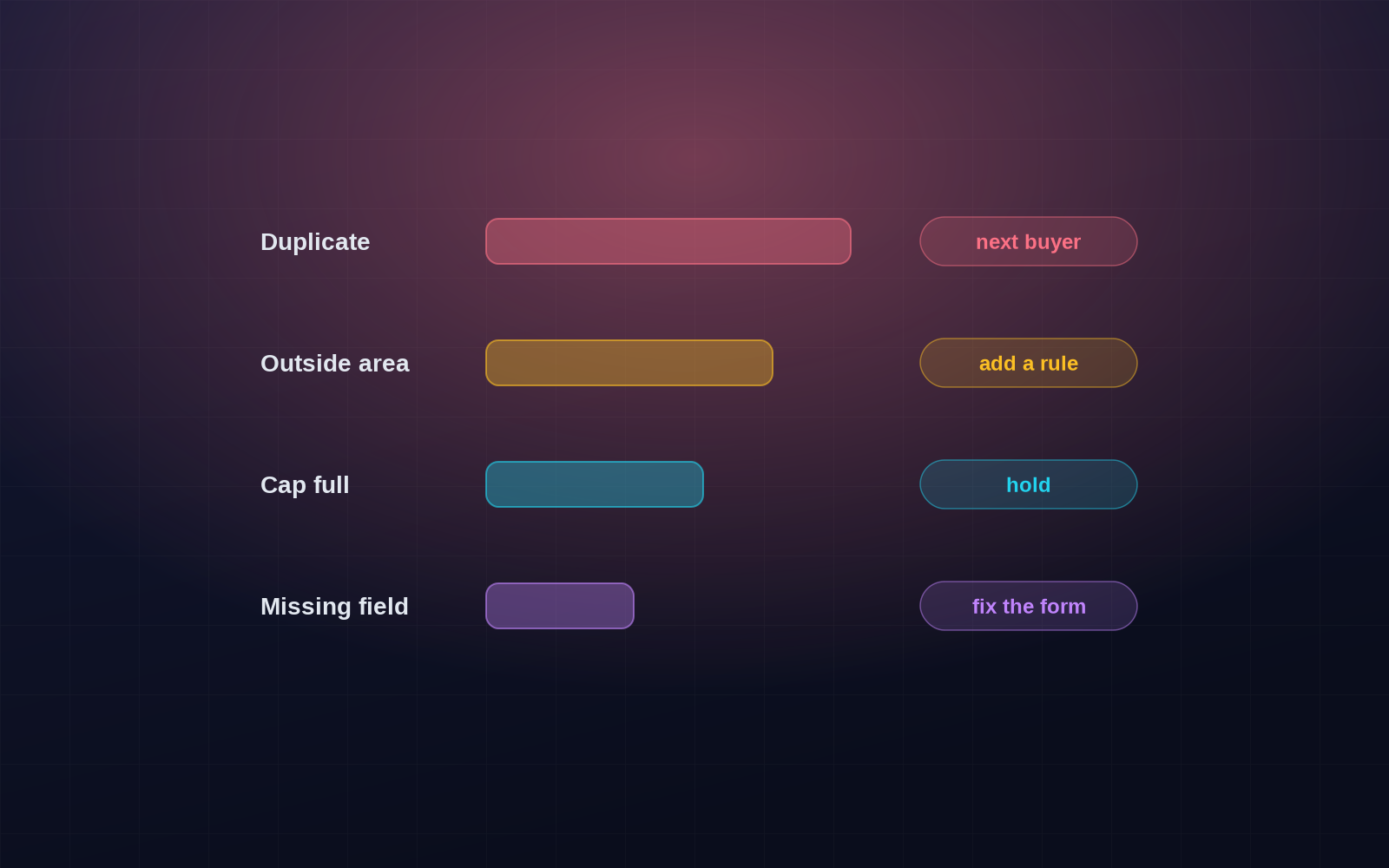
A rejected lead has already cost you the ad. What you do next decides whether that money is gone, half recovered or spent again for nothing. Resending everything to everyone feels productive, but it can annoy buyers, sell the same person twice and hide the real problem.
A better way is to sort rejections by reason, fix the few kinds that can be fixed, send again only what is worth sending, and change something so tomorrow has fewer of them.
First, find out what "rejected" means
Four different things get called a rejected lead, and each needs a different answer.
| What happened | What you see in EventsIQ | Who can fix it |
|---|---|---|
| The buyer read the lead and said no | Declined, with the buyer's reply | Depends on the reason |
| The buyer never answered | No answer, for example a timeout | The buyer, usually |
| The lead was not sent to that buyer | Skipped, with why: paused, full or missing a field | You |
| The buyer accepted it and sent it back later | Still Sold, because a return happens outside the post | You and the buyer, by your agreement |
A lead can carry several of these. If three buyers were asked, open the lead and read all three lines under What happened, in order.
Sort by the buyer's own reason
Most buyers give a short reason in their reply. Group your last two weeks by that reason and by buyer, and the picture usually becomes clear. In EventsIQ, Graphs does this for you: one chart per buyer, one line per reason, per day. Each lead is counted once per buyer, by its first answer, so a batch you send again does not show up as a spike.
Here are the reasons you will see most, and what to do about each.
Duplicate
The buyer already has this person. They may have bought them from you, from another seller, or had them as a customer for years.
Do not send the same lead to that buyer again. It will be a duplicate next time too. Offer it to the next buyer in the list, which a waterfall does on its own.
If duplicates rise, look for the cause on your side first. Are people filling in two of your forms? Is a sold person still seeing your ads? A suppression list tells the ad network to leave out people whose leads already sold. EventsIQ keeps these lists for Meta, TikTok, Google, Snapchat, Microsoft Ads and NewsBreak. It does not merge two form fills by the same person, so those stay two leads.
Outside the service area
The state or ZIP code is one the buyer does not take. Never resend these to the same buyer. Move the rule earlier: put a preset on the branch so this buyer is only offered leads from its own area. Ask for its list again, because areas change and nobody tells the seller.
Invalid phone or email
Sometimes the number is wrong. Sometimes it is right and in the wrong shape. A buyer that wants ten digits may refuse +15551234567. Open a few of these and compare what was sent with the buyer's specification. If it is the shape, add a format to that field and the problem stops for good.
If the numbers really are wrong, fix the form. Ask for the phone number on its own screen, say what you will use it for, and check your ads are not promising something that makes people type anything to get past.
Missing field
The buyer needs something the lead does not have, often a last name or a ZIP code. Mark that field Must have on the buyer and EventsIQ skips the buyer without calling it, and says which field was empty. Then add the question to your form, or map it from the source if it is already there under another name.
Cap full
The buyer is full for the day. This is the most recoverable rejection there is, because the buyer wants the lead and simply not today. Set its daily cap in EventsIQ so it is skipped, and choose to hold leads for its next day if it will take them. When a buyer's reply turns a lead down with the word "cap" in it, EventsIQ treats it as full until its next day starts.
Price or quality rules
Replies such as "below minimum", "score too low" or "no match" mean the buyer is filtering on something. Ask which field and which limit. If it is a field you collect, turn it into a routing rule. If it is not, decide whether the buyer is worth its place in the list.
Which ones to send again
Ask two questions. Has anything changed? And is the lead still worth something to this buyer? If the answer to either is no, leave it.
| Reason | Send again to the same buyer? | Offer to another buyer? |
|---|---|---|
| No answer, or a 5xx error | Yes, once they confirm it is fixed and that they did not receive it | Yes |
| Cap full | Yes, on their next day | Yes |
| Wrong format, now fixed | Ask first, then send as a new upload | Yes |
| Missing field, now filled honestly | Yes | Yes |
| Duplicate | No | Yes |
| Outside service area | No | Yes, if it fits theirs |
| Invalid details | No | No |
Be careful with No answer. It means you heard nothing back, so the buyer may have received the lead anyway. Check before you send it a second time.
Be careful with age too. Buyers who pay for fresh leads may not want one from Tuesday. Tell them it is old, agree a price for old leads, or leave it.
How to send them again in EventsIQ
There are four ways, and they do different things.
- Retry one call. In the lead's log, Retry sends that request exactly as it was the first time, even if you have edited the buyer since. Use it after an outage, not after changing what you send.
- Bulk retry. Sends many failed calls to one buyer again, filtered by the words in the reply or by status codes such as
5xx. A lead that already sold to anyone is not sent again. - Failed lead scheduler. A rule for one buyer that finds leads it skipped, refused or could not be reached for, fills empty fields if you choose, and queues them on a schedule. It can leave out people that buyer has already bought.
- Upload leads. Put a sheet through one buyer or a whole routing, with a preview of the first request. This is the one to use when you have changed the format.
Leads held because a buyer was full need none of these. They go on their own when its next day starts.
Fill fields honestly. Using a person's initial as the last name may be fine if the buyer agrees to it. Inventing a ZIP code is not, and it will come back as a return.
Stop tomorrow's rejections
Recovering leads is worth an hour a week. Preventing them is worth more. Once a week, take the largest reason for your largest buyer and make one change:
- Move the check earlier. A rule on the branch beats a rejection from the buyer, and a Not a fit ending on the form beats both. A person nobody can help should not become a lead.
- Put the second buyer in. If a branch has one buyer, every rejection is a lost lead.
- Read their reply properly. If a lead shows as sold and the buyer says it was rejected, the accept rule is too loose.
- Tell the ad network. If one campaign brings most of the rejections, report sold leads back so the network learns the difference, and compare Cost per sold rather than cost per lead.
After each change, mark the day on Graphs and compare each reason before and after. Use % of sent so a busy week does not look like a bad one.
Agree the rules for returns
A return is a lead the buyer accepted and gave back later, for example because the number did not work. EventsIQ has no return step: a sale stays recorded at the price the buyer accepted. So the agreement matters. Put in writing which reasons count, how many days a buyer has, and what evidence it sends. Then keep a count per buyer. A buyer that accepts nearly everything and returns a third of it is really a buyer with a 67% yes rate and a delay.
A routine that takes 30 minutes
- Every morning: look at yesterday's unsold and failed leads. Anything with No answer goes to the buyer as a question.
- Every week: read Graphs for your three largest buyers, and make one change.
- Every month: compare each buyer's price after returns, and reorder the list.
Set an alert for the words your buyers use, such as Duplicate or Invalid phone, so a new problem reaches you in the hour it starts.
Set it up
These docs pages walk through it in your own account, in this order.
The demo is a private copy of a sample account with a month of leads.