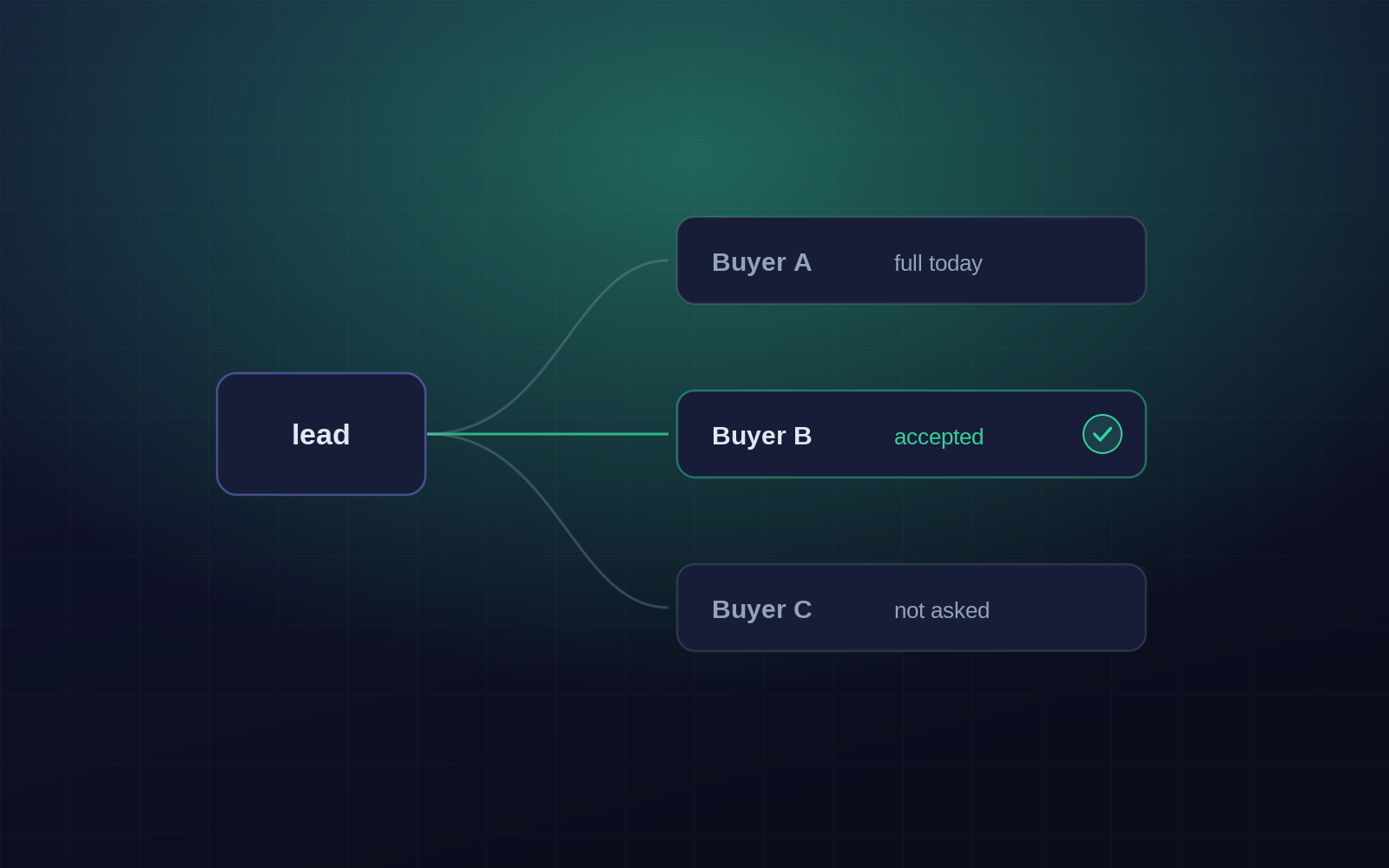
One buyer is simple. You agree a price, send every lead to the same place and send an invoice at the end of the month. The trouble starts when that buyer fills up at 11am, turns down half your states, or stops answering on a Friday afternoon. Every lead after that is money you paid for an ad and got nothing back from.
A second and third buyer fix this, but only if each lead finds the right one without you watching. This post covers how to do that: what to ask each buyer, how to put them in order, what to check before you go live and what to look at afterwards.
Decide whether a lead is sold once or several times
This is the first question a buyer will ask, so answer it before anything else.
- Exclusive: one buyer gets the lead. Nobody else calls that person, so buyers usually pay more for it.
- Shared: several buyers get the same lead. Each usually pays less, and the person may get several calls.
Selling to several buyers does not have to mean sharing. You can have ten buyers and still sell every lead once, by offering it to them one at a time and stopping at the first yes. That is called a lead waterfall, and it is the only way EventsIQ sells leads. It does not sell one lead to several buyers at the same time.
Whichever you choose, your consent wording has to fit it. Who the person agreed to hear from decides who may call them. Have someone qualified check it for every country and state you sell in.
Ask every buyer the same eight questions
Most problems with a new buyer come from something nobody asked. Write the answers down in one place.
- Which states, ZIP codes or countries do you take?
- Which answers rule a lead out? For example, renters, or a debt under $10,000.
- How many leads a day, and in which time zone does the day start?
- Which hours do you want leads, and do you take weekends?
- How much do you pay, and is it the same for every lead?
- Do you have an address we can post to, and can we see your posting specification?
- What does your system reply when it accepts a lead, and when it does not?
- When can a lead be returned, and how long do you have to return it?
Question 7 matters more than it looks. Many systems answer 200 OK to every post, including the ones they reject, and put the real answer in the body. Ask for one real accepted reply and one real rejected reply. You will need both.
Split the leads first, then put buyers in order
There are two separate decisions, and it helps to keep them apart.
Which buyers can take this lead at all? That is routing. Group leads by what your buyers care about, usually the state, the product or an amount. In EventsIQ each group is a branch: a rule such as state is one of TX, FL, with its own list of buyers. Branches are checked from the top, and the first one a lead matches is used.
Who gets asked first? That is the order inside the branch. The lead is offered to the buyer at the top. If it says no, does not answer in time, is paused or has reached its daily limit, the next one is asked.
Two things trip people up here:
- Put narrow branches above broad ones. If "debt over $10,000" sits above "debt over $10,000 and state is TX", the Texas branch is never reached.
- A lead that matches a branch stays in it. If every buyer in the Texas branch says no, the lead does not drop into Everything else. Add your general buyers to the bottom of the Texas list as well.
How to choose the order
The obvious order is the highest price first. That is often right and sometimes expensive.
Here is an example with made-up numbers. Buyer A pays $60 and accepts 20% of the leads it sees. Buyer B pays $40 and accepts 60%. Here is what 100 leads earn in each order, if each buyer's yes rate stays the same in either place.
| Order | First buyer takes | Second buyer takes | Earned | Leads sold |
|---|---|---|---|---|
| A, then B | 20 at $60 = $1,200 | 48 of the 80 left at $40 = $1,920 | $3,120 | 68 |
| B, then A | 60 at $40 = $2,400 | 8 of the 40 left at $60 = $480 | $2,880 | 68 |
A first earns $240 more, for the same number of sales. With these assumptions, the higher price first always wins or ties.
Real buyers change the sums in three ways:
- Time. Every buyer that says no adds its reply time. If A takes eight seconds to answer, 80 leads in every 100 reach B eight seconds late.
- Returns. If A returns a quarter of what it buys, its real price is nearer $45 than $60.
- Freshness. Some buyers accept less when they are further down the list, because they get the leads others turned down.
So start with price, then check what each buyer really paid after returns, and move slow buyers down.
Give every buyer a limit
If a buyer takes 40 leads a day, set its daily cap at 40. Once it has accepted 40 it is skipped without being called, and the lead goes to the next buyer straight away. The count uses the buyer's own day, so set its time zone.
Then choose what happens to a lead that nobody else wants because that buyer is full. It can stay unsold, or be held and offered to that buyer when its next day starts. Holding is worth it when a lead a few hours old still has value to the buyer. Ask them.
If one ad network tends to fill the whole limit by noon, you can also split it, for example no more than 25 of the 40 from Meta.
For buyers with opening hours, put a Time of day rule on their branch, in their time zone.
Read the reply, not just the status
This is the step that decides whether your numbers are true. In EventsIQ, a buyer with no rule set counts any 2xx status as a sale. For a buyer that answers 200 to everything, that makes every lead look sold to them, and nobody below is ever asked.
Set a rule from the real replies you asked for:
{ "status": "accepted", "price": 42.5 }The rule here is status equals accepted, with the price read from price. Paste the rejected reply in too, and check that the tester says it would not count. If a buyer pays the same for every lead, set a fixed price instead.
Test before real leads arrive
- Practise each buyer. A practice run shows the exact request, with nothing sent.
- Preview the routing. Run one sample lead per branch and see which branch takes it and who would be offered it.
- Send one real test lead per buyer, with details the buyer knows are a test. Ask them to confirm it arrived with every field filled in.
- Check the first ten leads by hand. Open each in the logs and read the buyer calls in order.
Build your first waterfall walks through all of it in the docs.
What to check each week
Four numbers tell you most of what you need.
- Sold %, the share of leads that sold. If it drops, find out which buyer changed first.
- Reasons for no, by buyer. Graphs draws a line for each reason a buyer gave, per day. A rising "Duplicate" or "Outside service area" line is a conversation to have, or a rule to change.
- Revenue per lead, across all leads and not only the sold ones. This is what you can afford to pay for a lead.
- Returns, per buyer. EventsIQ records what a buyer accepted. Returns agreed later are between you and the buyer, so keep your own count and use it when you set the order.
Add an alert for the words buyers use when they say no, so you hear about a change the same hour and not on the invoice.
Keep the record
When a buyer says a lead never arrived, or that they did not accept it, you want the request you sent and the reply they gave, with the time. In EventsIQ every call to every buyer is kept on the lead, skips included, and secret headers are hidden. If your leads go through spreadsheets or email today, save the replies somewhere you can search. It settles most arguments in a minute.
Start with two buyers in one branch. Once the replies read correctly and the limits hold for a week, adding the third is ten minutes of work.
Set it up
These docs pages walk through it in your own account, in this order.
The demo is a private copy of a sample account with a month of leads.