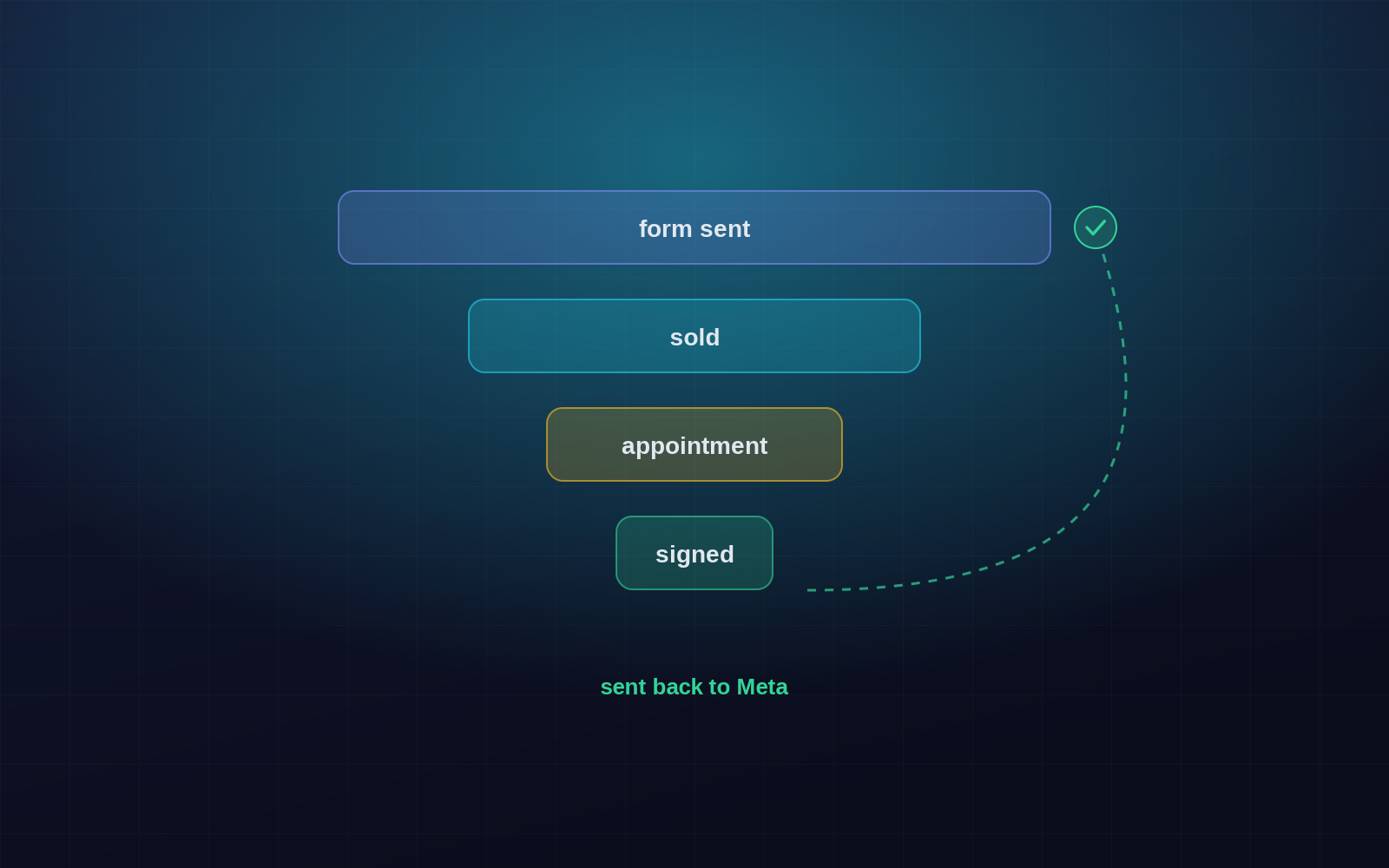
Cheap leads that never sell are one of the most common complaints about Facebook and Instagram lead ads. It is easy to blame the audience or the form. Often the cause is simpler: Meta was asked to find people who fill in forms, so it did.
This post explains what Meta learns from, how to tell it which leads sold, what EventsIQ sends and what it cannot promise.
Why Meta finds people who fill in forms
Meta shows your ad to the people it thinks are most likely to do the thing you asked for. If that thing is a submitted form, then every submitted form is a success. A person who wants the service and a person who taps through without reading look the same.
Over a few weeks that shapes who sees the ad. People who fill in forms easily are cheaper to reach, so cost per lead goes down. Nothing in the numbers Meta has says anything is wrong. The bad news, that the buyer rejected the lead or nobody answered the phone, is in your own systems, and Meta never sees it.
Lowering the quality of leads is not Meta's choice. It is the result of sending it only half the story.
What you can send back
A lead has more than one moment that matters. Each is a different signal.
| Moment | When you know | What it tells Meta | How often it happens |
|---|---|---|---|
| Form sent | At once | Who fills in forms | Every lead |
| Sold to a buyer | Seconds later, when the buyer accepts | Who becomes a lead somebody pays for | Some leads |
| Qualified, for example an appointment | Hours or days later, from a CRM | Who the buyer can talk to | Fewer |
| Signed or paid | Days or weeks later, from a CRM | Who becomes a customer | Fewest |
The further down, the closer to real value, and the fewer events there are. A signal that arrives five times a week is hard to learn from. For most lead sellers sold is a good place to start: it arrives in seconds and it means money.
What Meta asks for
For Instant Form ads, Meta has a goal called conversion leads. It learns from events you send about a lead as it moves through your process. Meta's developer guide and its FAQ list what it wants, which we checked on 25 November 2026:
- At least 200 leads a month.
- A stage to optimise for that between about 1% and 40% of leads reach, within 28 days.
- Events uploaded at least once a day.
- At least two stages sent, and better three. Only the last sale is not enough.
- Meta's own lead id on each event, where you have it.
The FAQ also says there is a training period of one to two months before the full effect. Meta can change these, so read the pages before you plan around them.
The 40% line is worth a second look. If your waterfall sells 70% of leads, "sold" is above the range, and a stage that fewer leads reach, such as an appointment, would fit better.
For ads that send people to your own website, use the conversion event instead, such as Lead or Purchase on your pixel, and choose it in the ad set.
How a sale is matched to a person
Meta can only use an event if it can tell who it is about.
- Instant Form leads have a lead id from Meta. EventsIQ keeps it and sends it back, unhashed, because it is Meta's own number.
- Website leads have the click. Meta adds
fbclidto the link, and it becomesfbcon the lead. EventsIQ forms read it from the page address. - Both can be matched by email, phone and name. EventsIQ hashes these with SHA-256 before they leave.
Two habits improve matching. Send your website ads to the page the form is on, so the click id is not lost in between. And do not remove phone or email from the form to make it shorter, if buyers need them anyway.
Set it up in EventsIQ
Tell Meta when a lead sells
- Connect Meta, and make sure the permission for conversions is approved.
- On the routing your Meta leads use, open Events, then CRM events, and add one. Or make it a global event so several routings share it.
- Pick Meta postback, then the account and pixel.
- Set Fires to Only when a destination accepted, or to Every lead, whatever happened if you want to send an unsold stage too. The stage words are
soldandunsoldunless you change them. - Set Only from to Facebook Lead Ads if other sources share the routing.
Every send is in Conversion logs, with Meta's answer.
Tell Meta what happens later
If your CRM or your buyer knows the outcome, have it call your postback link. Instant Form leads have no click, so send each lead's own id to the CRM and have it come back as lead_id. On the campaign, pick the Ad campaign it belongs to and the integration under Report sales to. Report sales from your CRM has every step.
An event is reported once per lead. If a CRM sends sold twice, the second is refused and logged as already reported.
Stop showing ads to people who already bought
Add sold leads to a Meta customer list, and exclude that list in your ad sets. The list does nothing until the ad sets exclude it. Meta takes up to 24 hours to update it.
Mistakes that teach Meta the wrong thing
- Sending an unsold lead as a purchase. If one event name covers both outcomes, Meta is told that rejected leads are wins. Use a different stage, or do not send it.
- Counting a sale that was not. If a buyer answers
200to everything and you have no accept rule, every lead looks sold and Meta learns nothing. Fix the rule first. - Purchase with no value. Meta refuses a Purchase event with no value. Use the sale price, or another event name.
- Changing three things at once. A new form, a new goal and a new audience in one week tells you nothing about any of them.
- Judging it after two days. Sales come later than leads, and Meta needs time to learn.
How to tell if it worked
Do not look at cost per lead. It may well rise, because people who buy are harder to reach than people who fill in forms. Look at these, by campaign:
- Sold %: the share of leads a buyer took.
- Cost per sold: spend divided by sold leads.
- ROAS: what the leads sold for, divided by spend.
Here is an example with made-up numbers. Each row is one campaign that spent $3,000.
| Leads | Cost per lead | Sold | Sold % | Cost per sold | |
|---|---|---|---|---|---|
| Optimising for forms | 200 | $15.00 | 60 | 30% | $50.00 |
| Optimising for sold leads | 150 | $20.00 | 75 | 50% | $40.00 |
The second has a worse cost per lead and is the better campaign, by $10 for every sale. These are not results, only a way to read yours.
To compare fairly, run the two side by side on the same offer and buyers, or compare a few weeks before and after with nothing else changed. Make sure the buyers did not change either. A new buyer at the top of the list raises sold % on its own.
What this cannot do
Sending sales back does not promise better leads. How Meta uses an event is up to Meta, and it depends on how many events there are and how well they match. It will not repair a form that asks nothing, an ad that promises something the service is not, or a follow-up call that comes two days late.
So use it with the other two: ask a question that a serious person will answer and a casual one will not, and get the lead to somebody who can call quickly. EventsIQ sends each Meta lead through your routing within seconds of it arriving, so the speed part is mostly about who picks up.
Set it up
These docs pages walk through it in your own account, in this order.
The demo is a private copy of a sample account with a month of leads.