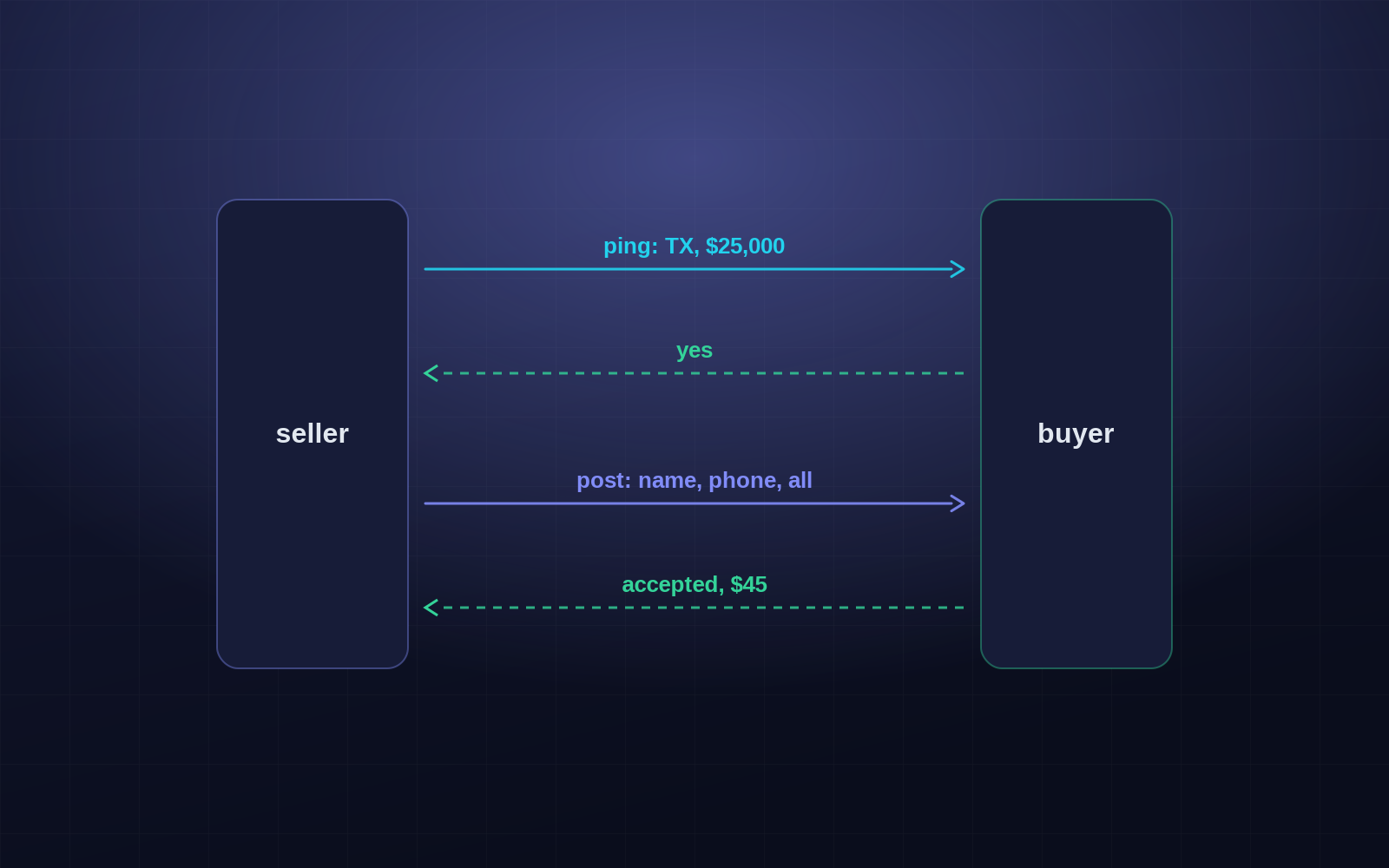
Ping post is a way of selling a lead in two steps. First you describe it without saying who the person is. Then, only if the buyer says yes, you send the rest.
It sounds like a small change. It decides how many companies hold a person's phone number, how many calls your system makes, and sometimes whether a buyer will work with you at all. This post explains each step and then works through the numbers. Every number in the examples is made up to show the sums.
The two calls
The ping describes the lead. State, ZIP code, product, amount, perhaps a yes or no answer. No name, phone or email.
{ "state": "TX", "debt_amount": 25000, "behind_on_payments": true }The buyer's system answers whether it wants a lead like that.
{ "status": "accepted", "bid": 45 }The post carries the whole lead, with contact details. The buyer answers again, and this answer is the one that counts as a sale.
{ "status": "accepted", "price": 45, "ref": "B-1001" }Why answer twice? Because some checks need the person. A buyer can tell from the ping that it wants a $25,000 debt in Texas. It can only tell from the phone number that it bought the same person last month.
Ping post, plain post and auction
These three get mixed up.
- Plain post: the whole lead goes to a buyer in one call, and it says yes or no.
- Ping post in order: buyers are asked one at a time, in your order. The first to accept the post gets the lead.
- Ping post auction: many buyers are pinged at the same moment, and the highest bid gets the post.
EventsIQ does the first two. Each buyer in a waterfall is set to one or the other, and one list can mix both. It does not run auctions or compare bids between buyers. If you need every buyer to bid at once, you need a different tool.
The difference matters. Say Buyer A is first in your list and would pay $40, and Buyer B is second and would pay $55. In an auction, B wins at $55. In order, A is asked first and gets it at $40. That is why the order of your list is a pricing decision. If B is usually the better payer, put B first.
Example 1: the same sale, fewer people shared
You have 100 leads and two buyers. Buyer A is first and wants only larger debts in a few states. Buyer B takes most things.
With a plain post, A receives all 100 leads, with names and phone numbers. It buys 30 at $50. The other 70 go on to B, which buys 42 at $32.
Now A uses ping post. It is sent 100 pings. It says yes to 34. Those 34 get a post, and it accepts 30. The other 4 turned out to be people it already had. So 70 leads go on to B, as before.
| Plain post to A | Ping post to A | |
|---|---|---|
| Calls to A | 100 | 134 |
| People whose details A received | 100 | 34 |
| Leads A bought | 30 at $50 = $1,500 | 30 at $50 = $1,500 |
| Leads B bought | 42 at $32 = $1,344 | 42 at $32 = $1,344 |
| Earned | $2,844 | $2,844 |
You earned the same. What changed is that A no longer holds the details of 66 people it did not want. The price was 34 more calls.
So ping post on its own does not raise revenue. It raises it when it lets you work with a buyer you could not work with before.
Example 2: a buyer that only buys on a ping
Buyer C pays $45 for a narrow kind of lead, and only takes leads by ping post. You put it between A and B.
A still buys 30 of 100. C is pinged with the remaining 70, says yes to 22 and accepts 20 posts. That leaves 50 for B, which still accepts 60% of what it sees, so 30.
| Without C | With C | |
|---|---|---|
| A | 30 at $50 = $1,500 | 30 at $50 = $1,500 |
| C | 20 at $45 = $900 | |
| B | 42 at $32 = $1,344 | 30 at $32 = $960 |
| Sold | 72 | 80 |
| Earned | $2,844 | $3,360 |
Eight more leads sold, and 12 that B would have bought at $32 went to C at $45 instead. The gain is $516, if B really does keep accepting 60%. B may not, because C has taken some of the better ones. Check after a week.
What it costs in time
Each call waits for a reply. In EventsIQ the limit is ten seconds for each buyer unless you change it, and a ping and a post are two calls.
Say A answers a ping in one second and a post in two. A lead that A refuses at the ping loses one second. A lead A refuses at the post loses three. With four ping post buyers in a row, a lead that nobody wants until the last could spend ten seconds or more in the queue.
That is usually fine. It is not fine if one buyer regularly takes eight seconds to say no. Open a few leads in the logs, read how long each call took, and lower that buyer's wait or move it down. A buyer that does not answer in time counts as a no, and the next one is asked.
Set the ping up well
Put only what they need
Ask the buyer for the fields its ping requires and send those. EventsIQ sends exactly what is in your ping, so if you put {{phone}} there, the phone number goes. Leave out the name, phone, email and street address.
Be careful with combinations too. A five digit ZIP code, a birth date and an exact amount can point at one person without any name.
Use the right rule for each reply
The ping has its own accept rule. If you leave it empty, the buyer's main rule is used. That works when both replies look alike, as in the examples above. If the ping replies {"interested": true}, it needs its own rule.
Know where the price comes from
In EventsIQ the ping decides yes or no. The price of the sale is read from the post reply, or is a fixed price you set. A bid in the ping reply is not used as the sale price.
You can still use the bid as a floor. A check on the ping such as bid greater than 40 means a lower bid counts as a no, and the lead moves on.
Check whether the post needs the ping's reference
Some buyers return an id with the ping and refuse a post that does not carry it. EventsIQ cannot copy a value from the ping reply into the post, so check this in their specification before you plan on a buyer. Ask for one full example of both calls, and test with a lead they know is a test.
When a plain post is better
- The buyer takes nearly everything you send.
- The buyer has no ping address. Many do not.
- It is your own CRM, which should receive the lead anyway.
- The decision needs the phone number, so every ping would come back yes.
How to tell if it is working
For each ping post buyer, look at three numbers:
- Ping yes rate: pings accepted, out of pings sent.
- Post yes rate: posts accepted, out of posts sent. In example 1 this is 30 of 34, or 88%.
- Price: what the post replies say they paid.
A low ping yes rate with a good post rate means the buyer is picky, and the ping is doing its job. Add a routing rule so you only ping it with leads it could take.
A high ping yes rate with a low post rate is a warning. The buyer says it wants leads and then refuses them after seeing the person. Duplicates are the usual reason. If it stays low, ask why, because it has received personal details each time.
In the EventsIQ logs a lead shows Yes to ping for the first and Sold for the second, so a ping is never counted as a sale. A retry of a ping does not settle a lead either, because interest is not delivery.
The short version
Ping post keeps a person's details with the buyers who want them, at the price of one extra call. It does not raise prices by itself. Use it for buyers that filter hard, or that require it, and keep plain posts for the rest. Put your buyers in order by what they really pay, and read both replies before you go live.
Set it up
These docs pages walk through it in your own account, in this order.
The demo is a private copy of a sample account with a month of leads.